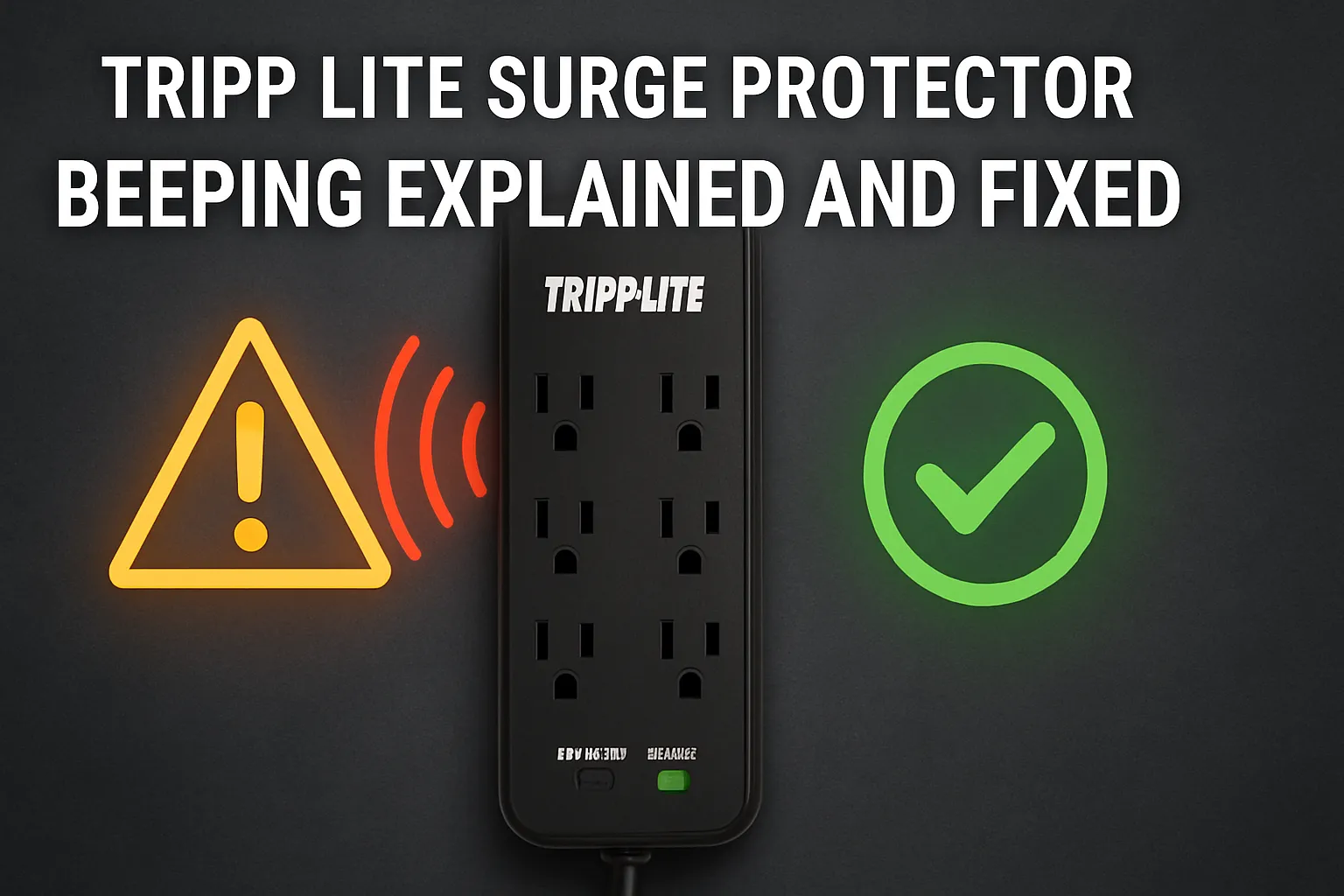
A beeping Tripp Lite surge protector can quickly become a source of annoyance. You might wonder why your Tripp Lite surge protector is beeping, interrupting your focus or peace. That beep isn’t just noise; it’s an alert, signaling that something needs your attention. This sound is there for a reason, like protecting your devices from power fluctuations or alerting you to an overload.
When you understand what’s causing the Tripp Lite surge protector to beep, you can take control and fix the issue. Don’t let frustration win. With a little guidance, you can restore your surge protector to normal and keep your electronics safe.
Common Reasons for Tripp Lite Surge Protector Beeping
When your Tripp Lite surge protector beeps, it’s trying to tell you something important. Understanding the reason behind this sound can help you address the issue quickly and effectively. Below are the most common causes of this beeping and what they mean for your device.
Power supply fluctuations or outages
Your surge protector shields your devices from sudden changes in power. When a power outage or fluctuation occurs, the device may emit a beep to alert you. This is especially common if your surge protector includes an uninterruptible power supply (UPS) feature. The beep serves as a warning that the power supply has been disrupted and your devices are now running on battery backup.
To troubleshoot a beeping sound, check the home’s power supply. If there’s an outage, conserve the UPS battery by limiting connected device use. The beeping should stop when power is restored. If it continues, inspect the surge protector.
Overload or excessive power draw
Overloading your surge protector is another common reason for the beeping. This happens when the connected devices draw more power than the surge protector can handle. This constant beeping usually means the device isn’t at its best temperature.
Here’s how you can address this issue:
-
Disconnect some devices to reduce the load.
-
Avoid plugging in high-power appliances like heaters or refrigerators into the surge protector.
-
Consult the manual to verify the maximum load and stay within it.
Ignoring an overload can lead to overheating or even permanent damage to your surge protector. Always distribute your devices across multiple outlets to prevent this problem.
Internal hardware faults
Sometimes, the beeping could signal an internal hardware fault. Surge protectors use beep codes to indicate specific issues, such as memory initialization errors or the absence of a video card. These auditory signals help you identify the problem without opening the device.
If you suspect a hardware fault:
-
Look for any visible signs of damage, such as burnt marks or a swollen battery.
-
Refer to the user manual for the meaning of the beep codes.
-
Contact Tripp Lite support for further assistance if the issue isn’t clear.
Hardware faults are less common but can occur due to wear and tear or manufacturing defects. Regular maintenance and inspections can help you catch these issues early.
Battery backup beeps due to low or dead battery
When your Tripp Lite surge protector (with built-in UPS) starts its incessant beeping, indicating battery backup, it’s a sure sign that the battery needs maintenance. These beeps occur because the battery backup system is having difficulty maintaining a charge, which often happens when the battery is low or completely discharged. Though this may be frustrating, the alert is designed to protect your connected devices.
Here’s what you need to know about these beeps:
-
A low or dead battery triggers the beeping to warn you of reduced backup performance.
-
The sound indicates that the battery can no longer provide reliable power during outages.
-
Replacing the battery or the entire surge protector is the recommended solution.
To troubleshoot, begin by checking the battery. A battery indicator on your surge protector will tell you if the battery is low or needs replacing. If the battery is dead, replacing it quickly will keep your devices safe during power outages. Always use a compatible battery for the best performance. If you’re unsure about replacing the battery yourself, consult the user manual or contact Tripp Lite support for guidance.
Acting promptly avoids more problems and ensures your surge protector continues to work correctly.
End-of-life warning for the surge protector
Every surge protector has a lifespan, and Tripp Lite models are no exception. When your surge protector reaches the end of its life, it will alert you with a specific warning signal. This typically includes a blinking red LED and a chirping sound.
While this might seem inconvenient, it’s a crucial safety feature that ensures your devices remain protected.
Here’s how the end-of-life warning manifests:
-
A blinking red LED light accompanies the chirping sound.
-
Pressing the Test/Silence button can temporarily stop the chirp for up to two days.
-
After two days, the chirping resumes, signaling the need for replacement.
When you notice these signs, it’s time to replace your surge protector. Continuing to use a surge protector past its lifespan compromises its ability to shield your devices from power surges. Upgrading to a newer model not only restores protection but also provides access to improved features and technology. To avoid surprises, keep track of your surge protector’s age and performance.
Regularly inspect it for wear and tear, and replace it as soon as you notice the end-of-life warning. This proactive approach ensures your electronics stay safe and your peace of mind remains intact.
How to Fix Tripp Lite Surge Protector Beeping
When your Tripp Lite surge protector starts beeping, it’s a call to action. Fixing the issue might seem daunting, but with the right steps, you can resolve it quickly and effectively. Let’s get into the solutions.
Identify the type of beeping (continuous, intermittent, etc.)
The first step in fixing the beeping is understanding what it means. Different beeping patterns indicate different issues. Pay close attention to the sound and frequency of the beep. Here’s a quick guide to help you decode the signals:
-
Single Beep: Often signals a minor issue or successful operation.
-
Double Beep: May indicate a specific issue depending on your surge protector model.
-
Continuous Beeping: A sign that immediate attention is required, often due to an overload or critical fault.
-
Intermittent Beeping: Could point to a low battery in the battery backup system or a minor sensor issue.
-
Beeping twice every 15-45 seconds: Indicates the unit is running solely on battery power.
-
Long solid beep: Suggests an overload condition.
-
Rapid beeping: Warns that the battery is nearly out of charge.
Take note of the pattern and refer to your user manual for additional details. Identifying the type of beep is crucial for determining the next steps.
Check for power supply issues and restore power
A common reason for the beeping is a disruption in the power supply. If your surge protector includes a UPS (uninterruptible power supply) feature, it may beep to alert you that it’s running on battery backup due to a power outage. Here’s how you can address this:
-
Inspect the power source: Ensure the outlet is functioning correctly. Plug another device into the same outlet to confirm it’s delivering power.
-
Check for power outages: If your home or office is experiencing a power outage, the surge protector will beep to indicate it’s using battery backup. Conserve the battery by disconnecting non-essential devices.
-
Restore power: Once the power is back, the beeping should stop automatically. If it doesn’t, reset the surge protector by turning it off and on again.
If the issue persists, inspect the surge protector for any visible damage or faults. A damaged unit may require professional assistance or replacement.
Reduce the load on the surge protector
Overloading the surge protector is another frequent cause of beeping. When too many devices draw power simultaneously, the unit struggles to operate efficiently. This can lead to overheating or even permanent damage. To fix this:
-
Unplug unnecessary devices: Disconnect high-power appliances like heaters, refrigerators, or air conditioners. These devices should ideally have their own dedicated circuits.
-
Distribute the load: Spread your devices across multiple surge protectors or outlets to avoid overloading a single unit.
-
Check the load capacity: Refer to the user manual to find the maximum load your surge protector can handle. Ensure the total power draw of connected devices stays within this limit.
Reducing the load not only stops the beeping but also extends the lifespan of your surge protector. It’s a simple yet effective way to maintain optimal performance.
Inspect for physical damage or internal faults
Your Tripp Lite surge protector beeping could be a sign of physical damage or internal faults. A quick inspection can help you identify the problem and decide on the next steps. Start by unplugging the surge protector and examining it closely. Look for visible signs of damage, such as:
-
Battery Mode: If the UPS is running on battery power, it may emit two short beeps every 30 seconds. This could indicate a power issue or a depleted battery.
-
Low Battery: Rapid beeping, twice per second, signals that the battery backup is nearly out of charge.
-
Overload: A continuous beep often points to an overload condition where the connected devices exceed the UPS capacity.
-
Fault Condition: Beeping every 15-45 seconds suggests internal faults or overheating.
-
Visual Alarms: Check the LED indicators. A red light typically signals a fault or error.
If you notice burnt marks, a swollen battery, or loose connections, these are clear signs of internal issues. Addressing these problems promptly can prevent further damage. For internal faults, it’s best to consult the user manual or contact Tripp Lite support. Attempting to fix internal components without proper expertise could void your warranty or worsen the issue.
Reset the surge protector to clear errors
Sometimes, a simple reset can resolve the beeping issue. Resetting clears minor errors and restores the surge protector to its default settings. Follow these steps to reset your Tripp Lite surge protector:
-
Turn off the surge protector and unplug all connected devices.
-
Disconnect the surge protector from the wall outlet.
-
Wait for about 30 seconds to allow the internal components to discharge.
-
Plug the surge protector back into the outlet and turn it on.
-
Reconnect your devices one at a time, ensuring you don’t exceed the load capacity.
If the beeping persists after the reset, it could indicate a more serious issue, such as a hardware fault or end-of-life warning. In such cases, further troubleshooting or replacement may be necessary.
Use Tripp Lite’s PowerAlert software to troubleshoot
Tripp Lite’s PowerAlert software is a powerful tool for diagnosing and resolving issues with your UPS. This software provides real-time monitoring and detailed insights into the performance of your surge protector. Here’s how you can use it to troubleshoot:
-
Download and Install: Visit Tripp Lite’s official website to download the PowerAlert software compatible with your UPS model.
-
Connect Your UPS: Use a USB or serial cable to connect your surge protector to your computer.
-
Launch the Software: Open PowerAlert and navigate to the monitoring dashboard. You’ll see information about battery status, load capacity, and any active alarms.
-
Identify Issues: Check for error messages or warnings. The software can pinpoint problems like low battery, overload, or internal faults.
-
Take Action: Follow the recommended steps provided by the software to resolve the issue. For example, it might suggest reducing the load, replacing the battery, or contacting support.
Using PowerAlert not only helps you fix current problems but also allows you to monitor your UPS proactively. Regular monitoring ensures your surge protector operates efficiently and keeps your devices safe.
Contact Tripp Lite support for unresolved issues
Sometimes, despite your best efforts, the beeping from your Tripp Lite surge protector persists. When this happens, reaching out to Tripp Lite support can be the most effective solution. Their team of experts is equipped to handle complex issues and guide you toward a resolution. Whether it’s a hardware fault, a persistent error, or a question about your unit’s performance, they’re ready to assist.
Why Contacting Tripp Lite Support Matters
Tripp Lite’s customer support team has a proven track record of resolving challenging cases. For example:
-
Customer: Cisco Digital Media System
Issue: Power failures disrupted critical demonstrations and risked damaging expensive hardware.
Solution: Tripp Lite provided an integrated power solution, ensuring reliable power for uninterrupted operations.
This case highlights how Tripp Lite’s expertise can address even the most demanding power-related challenges. If your surge protector’s beeping stems from a unique or technical issue, their support team can offer tailored advice or recommend a replacement if necessary.
How to Reach Tripp Lite Support
Getting in touch with Tripp Lite support is straightforward. Follow these steps to ensure a smooth process:
-
Gather Information: Before contacting support, note down your surge protector’s model number, serial number, and purchase date. This information helps the team identify your unit and provide accurate assistance.
-
Visit the Official Website: Navigate to Tripp Lite’s support page. You’ll find resources like FAQs, user manuals, and troubleshooting guides that might resolve your issue without further assistance.
-
Submit a Support Ticket: If the problem persists, submit a ticket through their online portal. Include a detailed description of the issue, the type of beeping, and any troubleshooting steps you’ve already tried.
-
Call Customer Service: For urgent matters, use the customer service hotline. Speaking directly with a representative can expedite the resolution process.
-
Utilize PowerAlert Software: If your surge protector includes a UPS feature, connect it to your computer and use Tripp Lite’s PowerAlert software. This tool provides detailed diagnostics that you can share with the support team for faster troubleshooting.
What to Expect from Tripp Lite Support
When you contact Tripp Lite, you can expect a professional and efficient response. Their team will:
-
Analyze the issue based on the information you provide.
-
Offer step-by-step guidance to resolve the problem.
-
Recommend repairs, battery replacements, or upgrades if needed.
-
Assist with warranty claims or replacement policies if your unit is still under warranty.
Their goal is to ensure your surge protector operates at its best, safeguarding your devices and giving you peace of mind.
When to Seek Support Immediately
Certain situations require immediate attention from Tripp Lite support. These include:
-
Continuous beeping that doesn’t stop after troubleshooting.
-
Visible damage to the surge protector, such as burnt marks or a swollen battery.
-
Persistent battery backup beeps even after replacing the battery.
-
A power outage followed by unusual behavior from the unit.
In these cases, delaying support could compromise the safety of your devices or the effectiveness of your surge protector. Acting quickly ensures you get the help you need without risking further complications.
Final Thoughts
Reaching out to Tripp Lite support isn’t just about fixing a problem—it’s about ensuring the long-term reliability of your surge protector. Their expertise can save you time, protect your devices, and even extend the life of your unit.
Don’t hesitate to contact them when you need assistance. Your peace of mind and the safety of your electronics are worth it.
Understanding why your Tripp Lite surge protector beeps is the first step to resolving the issue. The most common causes include power outages, low battery conditions, and overloads. Fixing these problems is straightforward when you follow the right steps. Regular maintenance keeps your surge protector working efficiently. Inspect it often, avoid overloading, and replace it when it reaches its end of life.
If the beeping continues, Tripp Lite’s support team is ready to help. Taking these steps ensures your devices stay safe and your peace of mind remains intact.
FAQ
What does the continuous beeping from my Tripp Lite surge protector mean?
Continuous beeping usually signals an overload or critical fault. It means the surge protector is struggling to handle the connected devices. Disconnect some devices immediately to reduce the load. If the beeping persists, reset the unit or inspect it for damage.
How often should I replace my Tripp Lite surge protector?
Replace your surge protector every 3-5 years or when it shows signs of wear. Look for indicators like a blinking red LED or chirping sounds. These signals mean the unit has reached the end of its life and can no longer protect your devices.
Can I silence the beeping temporarily?
Yes, you can silence the beeping by pressing the Test/Silence button on your surge protector. This will mute the sound for up to two days. However, address the underlying issue promptly to ensure your devices remain protected.
Why does my surge protector beep during a power outage?
The beeping indicates that the surge protector’s battery backup is active. It’s alerting you that your devices are running on battery power. Conserve energy by unplugging non-essential devices until the power is restored.
How do I know if my surge protector is overloaded?
Signs of an overload include continuous beeping, warm casing, or tripped circuit breakers. Check the total wattage of connected devices and compare it to the surge protector’s capacity. Disconnect high-power devices like heaters or refrigerators to prevent further issues.